Structured cabling cost is hard to estimate from a floor plan alone. Two offices of the same size can have very different cabling bills because of how many outlets they need, how the building is built and what the network has to carry. This guide explains how data cabling is priced, what drives the cost and how to compare quotes so you are not caught out by exclusions.
As with any building services work, a site survey is the only reliable way to get a firm price. We have deliberately not published generic figures. Instead, here is the framework installers use, and the questions to ask.
What structured cabling includes
Structured cabling is the organised system of cables, outlets, patch panels, racks and pathways that connects every device in a building to the network. It supports computers, phones, Wi-Fi access points, cameras, door controllers, displays and audio visual equipment. The main parts are:
- Horizontal cabling: copper cable from each outlet to the comms room, usually limited to 100 metres per run.
- Backbone cabling: fibre or copper links between comms rooms, floors or buildings.
- Outlets and patch leads at the work area.
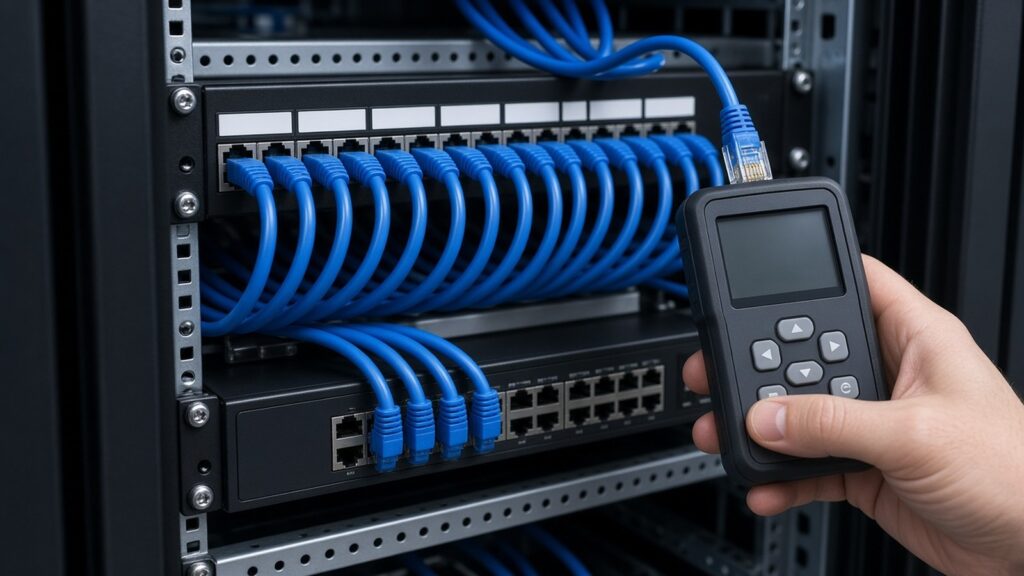
- Patch panels, cabinets and racks in the comms room.
- Containment: trunking, tray, conduit and fixings that carry the cable safely.
- Labelling, testing and documentation.
Our article on structured cabling for business network infrastructure explains why this foundation matters so much.
How data cabling is priced
Quotes are usually built from a price per point plus separate items. A point is one finished cable run from outlet to patch panel. Per-point pricing is convenient, but it only works if everyone agrees what is inside it. Typical items to check are whether the price includes the cable, the outlet, termination at both ends, labelling and testing, and whether containment, patch panels, racks and patch leads are extra.
What drives structured cabling cost
Number of points and density
More outlets cost more, but the price per point often falls on larger jobs because set-up and supervision are shared. Plan spare outlets at the design stage. Adding a point later, after ceilings and walls are finished, costs more than including it in the first installation.
Cable category and type
Cat6 and Cat6A are the usual choices for new copper work. Cat6A costs more and is thicker, which affects containment size, but it supports 10 Gigabit Ethernet over a full 100 metre run. That headroom is valuable if you plan to install Wi-Fi 6 or Wi-Fi 7 access points, PoE cameras or AV over IP equipment. Fibre costs more to terminate and test but is the right choice for backbones and long runs. Low-smoke, zero-halogen cable is common in commercial buildings and may be required by the building’s fire strategy.
Building construction and access
Cable routes are a major cost driver. Open plan offices with accessible ceiling voids are quicker than buildings with solid walls, listed structures, high ceilings or limited access. Fire stopping where cables pass through fire-rated walls and floors is essential and must be included. Occupied buildings or work outside normal hours also affect labour.
Containment
If suitable trays and trunking are already in place, the cost drops. If not, containment can be a significant part of the project. Plan for future cables as well as today’s, so you do not have to start again in two years.
Comms rooms, cabinets and racks
The comms room is the heart of the system. Cabinets, patch panels, cable management, power and cooling all need to be provided and sized for growth. A neat, well-labelled rack makes every future change faster and cheaper.
Testing, certification and documentation
A basic continuity test shows that the wires are connected. A certification test measures performance against a standard and produces a report for every point. Ask for certification results, not just a pass certificate. Labelled outlets and an up-to-date cable schedule save time and money for the life of the system.
Existing cabling
Older Cat5e or Cat6 cable may still work for basic needs, but it may not suit modern Wi-Fi or PoE. A survey and test show what can be reused and where new runs are needed. Replacing everything is rarely necessary, but retaining poor cable is a false economy.
Plan for what the network will carry
The cheapest time to add capacity is during the first installation. When you plan the cabling, think about all the systems that will use it:
- Business Wi-Fi: access points need a cable each, and modern models benefit from multi-gigabit links and PoE.
- CCTV and security: cameras and door controllers use PoE and often need runs to car parks and entrances. See our guide to CCTV installation cost for how that side of the project is priced.
- Audio visual: displays, meeting room systems and digital signage players need data points near screens.
- Telecom: desk phones, door entry units and in-building mobile coverage using small cell DAS.
Designing these together avoids duplicate cabling and clashes between suppliers. This is the approach we take in our systems design work.
How to compare data cabling quotes
- Confirm the number of points and where each one is located.
- Check the cable category, whether it is shielded and its fire rating.
- See whether containment, fire stopping and making good are included.
- Check the racks, patch panels, patch leads and cable management.
- Ask for certification testing and documentation to be included.
- Check the working hours assumed and any access costs.
- Ask about warranty and who supports the cabling after handover.
Budgeting in four steps
- List users and devices. Count desks, meeting rooms, access points, cameras, screens and phones.
- Add spare capacity. Allow extra outlets in each area and spare capacity in containment and racks.
- Survey the building. Identify routes, existing cable and any constraints.
- Get an itemised quote. Compare cabling, containment, racks, testing and documentation line by line.
For offices, our guide to office AV, meeting room and IT design shows how cabling fits with wider technology planning. For new buildings, low-voltage design for developers explains how to coordinate cabling with the rest of the project from the start.
Frequently asked questions
What does cost per point mean in data cabling?
A point, sometimes called a drop, is one complete cable run from an outlet to the patch panel in the comms room. A per-point price usually includes the cable, the outlet, termination, labelling and testing for that run. Check exactly what is and is not included, because containment, patch panels and the comms room are often priced separately.
Should I choose Cat6 or Cat6A?
Both carry Gigabit Ethernet to 100 metres. Cat6A supports 10 Gigabit Ethernet over the full 100 metres, while Cat6 supports it only over shorter runs. Cat6A cable is thicker and costs more, but it gives more headroom for Wi-Fi access points, PoE cameras and future demand. For new builds many designers choose Cat6A for the main runs.
Do I need fibre optic cabling?
Fibre is the right choice for long distances, links between buildings, risers between floors and high-capacity backbones, and it is not affected by electrical interference. Copper is normally used for the final connection to desks and devices. Many projects use both.
Can cabling work be done while the office is in use?
Often yes, with planning. Work above ceilings and in risers can be arranged out of hours, and installers can phase the project floor by floor. Tell your installer about your working hours when you request a quote, because it can affect the price.
Get a quote for structured cabling
If you are planning a new office, a refit or a network upgrade, send us a short brief with the floor area, the number of users and your timing. Our engineers will survey the site, install and test the cabling and can provide ongoing support. You can also call 020 4577 0818 from within the UK or +44 20 4577 0818 from outside the UK.