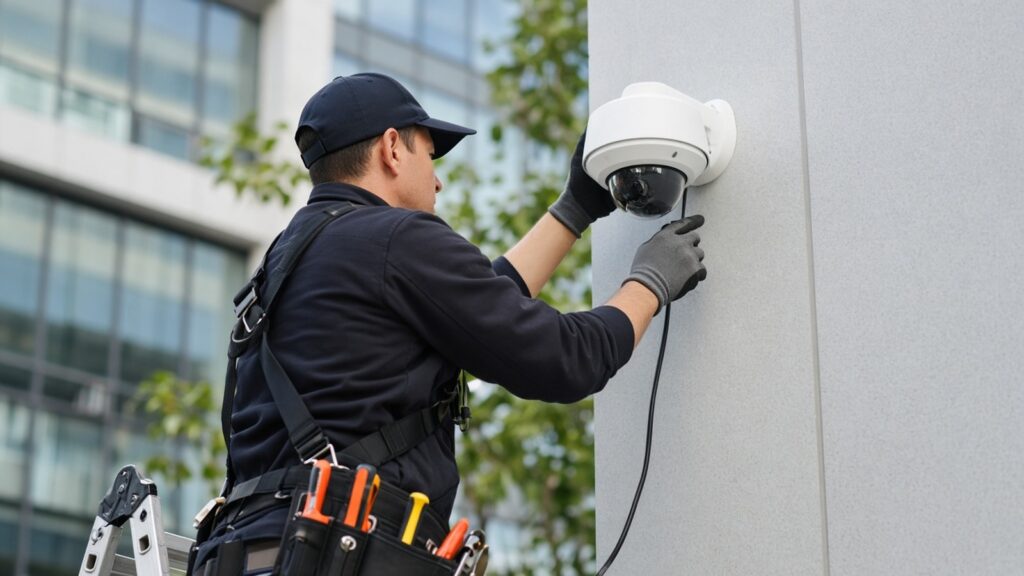
CCTV installation cost is one of the first questions a business asks, and one of the hardest to answer without seeing the building. Two offices with the same number of cameras can be priced very differently because of cable routes, storage, network equipment and how the system will be used. This guide explains what sits behind a commercial quote so you can budget sensibly and compare offers on a like-for-like basis.
We have deliberately avoided quoting generic prices. Figures published online vary widely and rarely match a specific site. What follows is a framework you can use to ask better questions and to understand every line of a proposal.
What a commercial CCTV installation includes
A professional commercial CCTV installation is more than cameras on walls. A complete quote normally covers:
- Cameras of the right type for each location: domes, bullets, fisheye, PTZ or specialist models for entrances and number plates.
- Recording and storage: a network video recorder or server, with enough disk capacity for your retention period.
- Network equipment: PoE switches, power supplies and sometimes a separate VLAN so camera traffic is kept apart from the office network.
- Cabling and containment: the cable itself, trunking, conduit, fixings and making good.
- Labour: survey, installation, termination, focusing, configuration and commissioning.
- Software and licences: viewing software, mobile access and any analytics licences.
- Handover: user training, documentation, privacy signage and, ideally, a maintenance proposal.
Seven factors that drive CCTV installation cost
1. Number and type of cameras
Each camera adds hardware, cable and labour. Type matters as much as quantity. A camera that must read a number plate or capture faces at a till needs a better sensor and lens than one that gives general coverage of a corridor. Specifying cameras by the job they must do, rather than by headline megapixels, avoids paying for detail you will never use.
2. Cable routes and building construction
Cabling is frequently one of the largest parts of the cost. High ceilings, suspended ceilings, solid walls, long runs to car parks and the need to cross floors all add time. Ethernet-based cameras are normally limited to about 100 metres of cable per run, so far-flung locations may need extra switches or fibre. A good survey identifies the shortest practical routes before anyone prices the work. Our article on structured cabling for business networks explains why neat, well-labelled cabling pays off later.
3. Recording, storage and retention
Storage grows with the number of cameras, the resolution, the frame rate and how many days you keep footage. Doubling the retention period roughly doubles the disk space needed, all else being equal. Decide how long you need footage and why, then size the recorder to suit. If you need off-site copies, cloud storage adds a recurring cost.
4. Network capacity and PoE
IP cameras share your network, so switches, uplinks and power budgets must be sized for them. Power over Ethernet removes the need for a separate power supply at each camera, but each switch has a total power budget. Cheap switches that run out of power are a common cause of unreliable systems. For larger sites we plan cameras on their own network segment.
5. Analytics and integration
Features such as people counting, line crossing and licence plate recognition need compatible cameras and extra licences, and they may need more powerful servers. The same applies to links with other systems. Linking CCTV to an access control system for an office or to visitor management lets operators click a door event and see the video, which is valuable but needs design time. Read more about the benefits in our guide to CCTV analytics.
6. Working conditions and timing
Shops, restaurants and offices often need installation outside opening hours. Work at height, external poles, scaffolding or restricted access all add to the labour. Multi-site rollouts can save time per site through repeatable designs, but each building still needs its own survey.
7. Support, warranty and maintenance
Cheaper systems often leave out maintenance. A planned visit to clean lenses, check focus, test recording and apply updates keeps the system reliable. Ask what warranty applies to each part and who responds if a camera fails. Our maintenance and support service is designed around exactly this.
Should you replace analogue cameras or upgrade to IP?
Many sites still run analogue cameras on coaxial cable. Replacing them with IP cameras gives better image quality, flexible coverage and easier remote access. Sometimes the existing cable can be reused with converters, which reduces labour. In other cases the cable is old, damaged or in the wrong place, and starting again is the better value. Testing the existing cable before deciding avoids surprises.
How to compare CCTV quotes fairly
Price alone is a poor guide. Two quotes at different prices may be offering very different systems. Ask every supplier to put the following in writing:
- A camera schedule showing the location, model and purpose of every camera.
- The recorder model, number of channels and how many days of storage it provides at your chosen quality.
- Network equipment included, and whether camera traffic is kept separate from the office network.
- What is included in cabling and containment, and whether making good is covered.
- Software, mobile access and licences, and whether any carry yearly fees.
- Commissioning, training and documentation.
- Warranty terms and the maintenance options on offer.
Data protection and signage
A business that records people on CCTV in the UK must comply with data protection law. The Information Commissioner’s Office publishes guidance on video surveillance, including the need for a clear purpose, proportionate coverage, visible signs, a retention policy and a way to handle requests for footage. Camera positions affect compliance as well as image quality, which is another reason to design the layout properly. Our guide to video surveillance for business premises covers coverage planning in more detail.
A simple process for setting your budget
- Define the purpose. Is it deterring theft, protecting staff, monitoring entrances, resolving disputes or meeting an insurer’s request?
- Walk the site with an installer. Mark each area you need to see and what you need to be able to identify.
- Agree retention and access. Decide how many days of footage, who can view it and whether remote viewing is needed.
- Check the network. Confirm whether existing switches, cabling and power can support IP cameras.
- Get a written, itemised quote and compare it using the checklist above.
- Plan maintenance from the start so the system still works in three years.
Frequently asked questions
How much does CCTV installation cost for a small business?
It depends on the number and type of cameras, how far the cables have to run, how long you need to keep footage and whether the system connects to other equipment. A four-camera shop and a thirty-two-camera warehouse sit at very different ends of the range, so any figure without a site survey is only a guess. A reputable installer will survey the premises and give a written quote that lists every item.
Are there monthly fees with a CCTV system?
Not necessarily. A system that records to a local network video recorder (NVR) has no subscription. Recurring costs appear if you choose cloud storage, remote monitoring by a third party or a planned maintenance contract. Ask for these to be listed separately so you can decide which you need.
How long should a business keep CCTV footage?
There is no single fixed period. Under UK data protection rules footage should be kept no longer than is necessary for the purpose you recorded it for, and you should be able to explain your retention period. Longer retention needs more storage, which affects the price.
Can existing cabling be reused for new CCTV?
Sometimes. Good-quality network cabling can often carry IP cameras, and coaxial runs can be reused with suitable converters in some upgrades. A survey and test will show whether the existing routes are in good condition and long enough, and reuse can reduce labour.
Get a quote for your CCTV installation
If you would like an itemised proposal for your premises, send us a short brief with the address, the areas to cover and your timing. Our engineers design the system, install and commission it and can look after it afterwards. You can also call 020 4577 0818 from within the UK or +44 20 4577 0818 from outside the UK.