A good access control system for an office controls who can go where and when, records every event and still lets people get on with their day. A poor one is a source of daily complaints, propped-open doors and security gaps. This guide walks through the parts of a system, the decisions that matter and how to plan an installation that suits how your office actually works.
What an office access control system does
At its simplest, an access control system checks a credential at a door and decides whether to release the lock. Behind that simple action sits a lot of useful capability:
- Different access for different people, such as staff, contractors, cleaners and visitors.
- Time schedules, for example staff only during working hours or the server room only for IT.
- A log of who went through which door and when, useful for investigations and audits.
- Instant removal of a lost card without changing a single lock.
- Links with other systems such as CCTV, visitor management, lifts and intruder alarms.
Our overview of access control systems for secure facilities covers the basics. Below, we focus on choosing and planning one for an office.
The main components
Readers and credentials
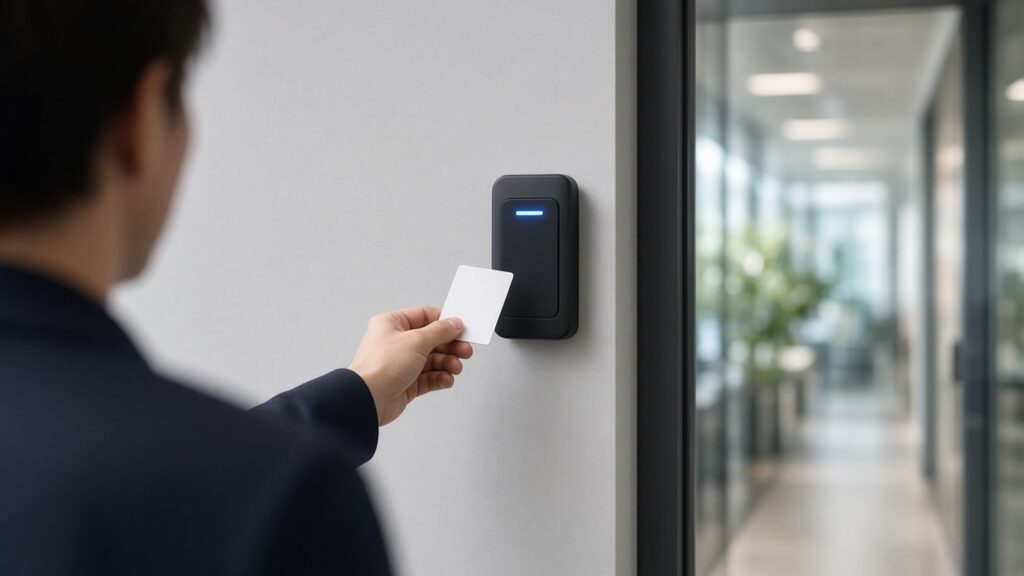
The reader is the part people touch. Options include proximity cards and fobs, smart cards with stronger encryption, mobile credentials on phones, PIN keypads and biometric readers. Older low-security card technologies can be copied easily, so ask which card technology is proposed and whether it is encrypted. For more on fingerprint and face readers, see our guide to biometric access control.
Door controllers and software
Controllers hold the rules and make the decision, usually located near the door or in a comms cupboard. The management software lets an administrator add people, set schedules and run reports. Decide whether you want the software hosted in the cloud or on your own server (see the FAQ below).
Locks and door hardware
The lock is what actually secures the door, and choosing the wrong type causes most real-world problems. Magnetic locks, electric strikes and electrified handles each suit different door types. A glazed frameless door, a timber fire door and a steel riser door all need different solutions. The lock must also fail in the right way. Doors on escape routes must release when power is lost or the fire alarm sounds, while some internal doors may need to stay locked.
Request-to-exit devices and door contacts
Exit buttons or sensors release the door for people leaving. Door contacts report whether a door is open or closed, which allows the system to flag a door held open or forced.
Power and network
Controllers and locks need reliable power, often with battery backup so the building stays secure and usable during an outage. Most modern systems also communicate over your IP network, so the cabling and switches matter. Good network and structured cabling design avoids many faults before they start.
How to choose an access control system for office use
- Map the doors. List every door you want to control and note its type, who uses it and whether it is on an escape route.
- Group the users. Staff, teams with restricted areas, visitors, contractors and out-of-hours users all need different rules.
- Pick the credential approach. Cards and fobs are simple, mobile credentials are convenient and biometrics suit special areas. Many offices combine them.
- Decide cloud or on-premise. Consider how many sites you have, your IT resources and any data policies.
- Plan the integrations. Decide whether you want video verification with CCTV, visitor registration and links to lifts or the alarm.
- Plan for growth. Choose a system that can add doors and users without replacing controllers.
Integrating access control with CCTV and visitor management
Access control becomes more valuable when it works with other security systems. When a door is forced or held open, the system can bring up the nearest camera automatically. Pairing access control with a visitor management system means guests are registered, issued a temporary credential and logged out when they leave. If you are also planning cameras, our article on CCTV installation cost for business explains what drives that side of the budget, and our CCTV and access control design service looks at both together.
Door entry for front doors and reception
Most offices also need a way for visitors to announce themselves. A door entry system with an intercom or video panel lets reception or staff see who is outside and release the door. It can be linked to the access control system so that staff use cards while visitors use the call button. If your door entry still depends on an analogue phone line, check how it will connect once the UK phone network changes; our news article on the PSTN switch-off and business phone lines explains what to look for.
Common mistakes to avoid
- Choosing hardware before mapping doors. The door and the lock decide what is possible, not the reader.
- Ignoring fire safety. Escape doors must be easy to open. Agree the design with your fire risk assessor.
- Weak card technology. Ask for modern encrypted credentials rather than basic proximity cards.
- Under-powered switches and no battery backup. Locks and controllers stop working when power fails unless it is planned.
- No admin process. A system is only as secure as the process for adding and removing people. Name an owner for it.
- No maintenance plan. Readers, locks and batteries wear out. Schedule inspections.
Installation and commissioning
A well-run installation starts with a survey of each door, followed by cabling, fitting the locks and readers, installing controllers and power, then testing every door. Testing includes fire alarm release, power failure behaviour, exit devices and every user group. Handover should include documentation, an administrator briefing and a support route. Our engineers install and commission security systems and also program the rules and integrations. For larger offices, see our approach to office technology design, where security sits alongside meeting rooms and network design.
Frequently asked questions
What is the difference between a door entry system and access control?
A door entry system lets visitors call someone who releases the door, often with an intercom and sometimes video. Access control identifies people, using cards, fobs, mobile credentials or biometrics, and decides whether each person may pass at that time. Many offices use both: an intercom at the front door and access control on internal and staff doors.
Can staff use their phones instead of cards?
Yes, many modern readers support mobile credentials, so a phone or watch can act as the key. It is usually offered alongside cards and fobs. Check that the readers, the controllers and the software all support the credential type you want before you buy.
Does an access control system work with the fire alarm?
It should. Doors on escape routes must release when the fire alarm activates and must be easy to open from the inside. Your installer should integrate the system with the fire alarm panel and agree the arrangement with whoever is responsible for fire safety in the building.
Cloud or on-premise access control: which is better?
Cloud systems are easier to manage across several sites and receive updates automatically, but depend on an internet connection and usually carry a subscription. On-premise systems keep data on your own server and can run without the internet, but you manage the server and software. The right choice depends on your sites, your IT team and your policies.
Plan your office access control system
If you are planning a new system or replacing an old one, send us a short brief with the number of doors, the building type and your timing. We will review the site, suggest a design and give you a written quote. You can also call 020 4577 0818 from within the UK or +44 20 4577 0818 from outside the UK.